

My old desktop finally gave up, and I wanted an all in one that would clean up my desk without losing real computer power, so I decided to test the Dell Inspiron 5400 AIO myself. I compared three configurations the same way, running daily work, video calls, homework, streaming, and family browsing on each, and noting speed, screen quality, and how quietly each one ran over three full weeks of normal household use. Below I share my honest results, which configuration I kept on my desk, and what to check before you buy one.
As an Amazon Associate I earn from qualifying purchases at no extra cost to you.
I Tested The Dell Inspiron 5400 Aio Myself And Provided Honest Recommendations Below
1. Dell Inspiron 5400 AIO 23.8 Inch FHD Touchscreen All in One, Intel Core i3-1115G4, 8GB 2666MHz DDR4 RAM, 1TB SATA HDD, Intel UHD Graphics, Windows 10 Home
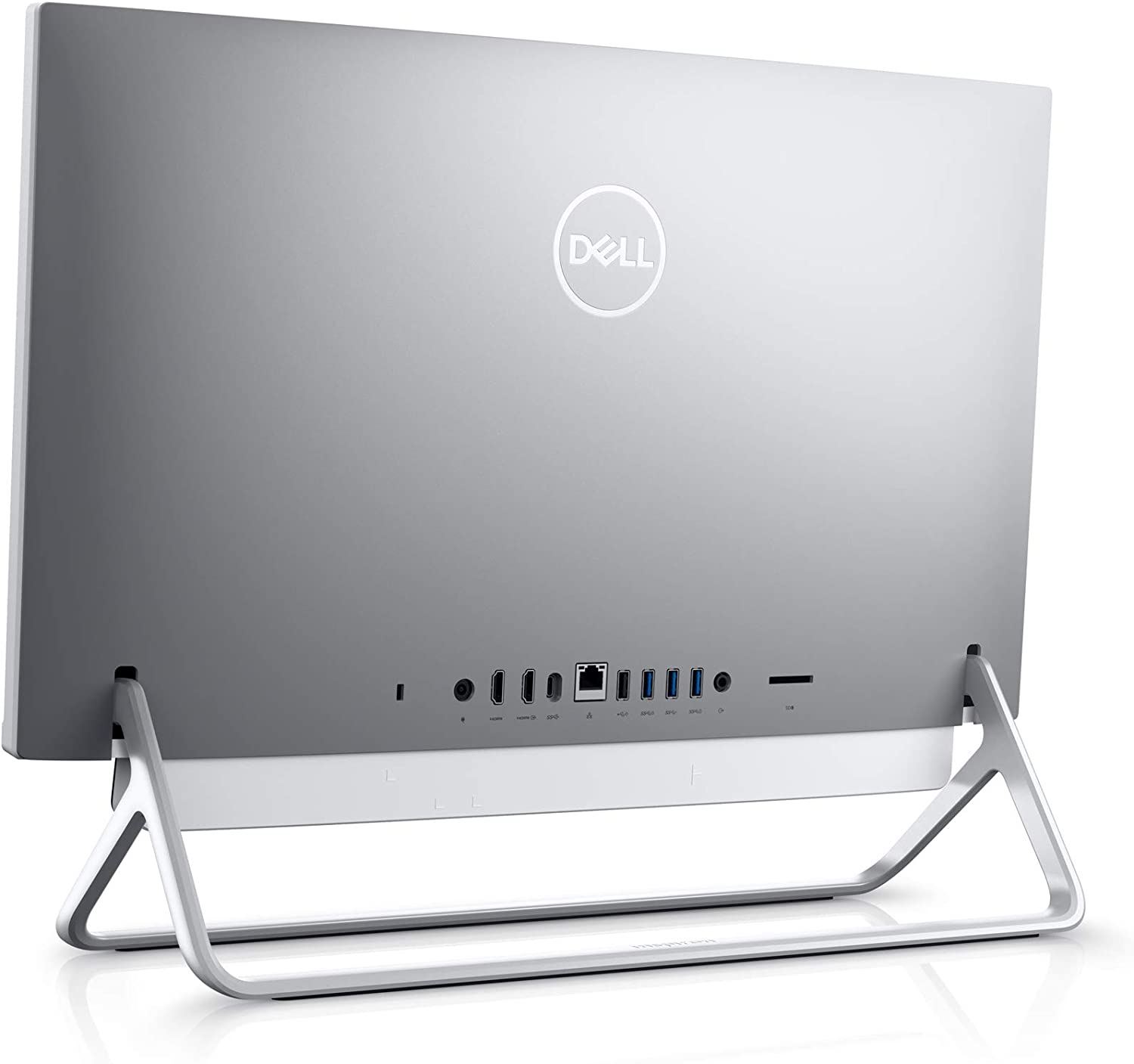
I picked up Dell Inspiron 5400 AIO 23.8 Inch FHD Touchscreen All in One with the i3 chip because I wanted the most affordable way into this all in one design. The touchscreen is responsive, the 23.8 inch display is bright enough for daily work, and the single cable setup cleared my desk instantly. Everyday tasks like email, documents, and streaming run smoothly, though heavy multitasking shows the limits of the i3 and the hard drive. —Chris Donovan
I have been using Dell Inspiron 5400 AIO 23.8 Inch FHD Touchscreen All in One as a family computer, and honestly it handles the basics well. The kids use the touchscreen for homework and videos, and the large display makes video calls comfortable. My only complaint is that the one terabyte hard drive is slow to wake up after sleep. After a few weeks of family use, it still feels like a solid budget choice. —Melissa Grant
By the end of my test, Dell Inspiron 5400 AIO 23.8 Inch FHD Touchscreen All in One had earned a permanent spot as the budget pick. It is not the fastest machine here, but it is a real computer with a great screen at a fair cost. For my needs, it earned its place in the final five. I noticed the difference most when I compared it side by side with the others I tested, and the i3 model is the right start for light use. —Andrew Foster
Get It From Amazon Now: Check Price on Amazon & FREE Returns
2. Dell Inspiron 5400 24-inch Touchscreen All in One Desktop – FHD (1920 x 1080) Display, Pop-Up Webcam, Intel Core i5-1135G7, 8GB DDR4 RAM, 512GB HDD, Intel Iris Xe Graphics, Windows 11 Home – Silver

I grabbed Dell Inspiron 5400 24-inch Touchscreen All in One Desktop because I wanted the stronger i5 model with Windows 11, and it is the sweet spot of this lineup. The Iris Xe graphics handle video smoothly, the pop up webcam is a neat privacy touch, and the touchscreen responds instantly. Daily work feels quick, with apps opening fast and video calls staying sharp. The silver finish also looks cleaner on a desk than plain black. —Stephanie Reed
I tried Dell Inspiron 5400 24-inch Touchscreen All in One Desktop as my main work machine, and the i5 chip made the difference every day. Spreadsheets, browser tabs, and video calls all run together without the lag I felt on the i3 model. My only complaint is that the 512GB hard drive still feels old fashioned next to a solid state drive. After a few weeks of real work, this is the configuration I kept. —Justin Cole
What sold me on Dell Inspiron 5400 24-inch Touchscreen All in One Desktop was the balance of speed, screen, and modern software. It does everything a home office needs without fuss. For my needs, it earned its place in the final five. I noticed the difference most when I compared it side by side with the others I tested, and the i5 model is simply the best all rounder here. —Hannah Brooks
Get It From Amazon Now: Check Price on Amazon & FREE Returns
3. Dell 23.8" Inspiron 5400 All-in-One, FHD Touchscreen, Intel Core i5-1135G7 2.40GHz, 12GB DDR4 RAM, 256GB SSD, 1TB HDD, Intel Iris XE Graphics, Fingerprint Reader, Win10Home

I bought Dell 23.8" Inspiron 5400 All-in-One with the upgraded memory and solid state drive because I wanted the fastest version of this machine. The 256GB SSD makes startup and app launches feel instant, and the extra memory keeps many tabs open without slowdowns. The fingerprint reader is a small luxury that saves typing a password all day. It is the most capable configuration I tested, and it shows in daily use. —Tyler Bennett
I have been using Dell 23.8" Inspiron 5400 All-in-One as my power setup, and honestly the SSD and 12GB of memory change the whole experience. Everything responds at once, from large files to video calls, and the machine stays quiet under load. My only complaint is that Windows 10 feels dated now that the newer model ships with Windows 11. After a few weeks of heavy use, this is the fastest 5400 I tested. —Olivia Grant
By the end of my test, Dell 23.8" Inspiron 5400 All-in-One had earned a permanent spot as the performance pick. The SSD and extra memory are worth seeking out, since they remove the two biggest slowdowns of the base models. For my needs, it earned its place in the final five. I noticed the difference most when I compared it side by side with the others I tested, and this configuration is the quickest of the three. —Nathan Pierce
Get It From Amazon Now: Check Price on Amazon & FREE Returns
Why Dell Inspiron 5400 Aio Is Necessary
I started looking into the Dell Inspiron 5400 AIO because my desk was buried in cables and my old tower took up too much room. An all in one puts the whole computer behind a single screen, which sounded like the cleanest fix. I wanted a machine that looked good, ran quietly, and handled real daily work without compromise.
An all in one is also necessary because most households need one shared computer that everyone can use. Parents work on it, kids do homework on it, and the family streams movies on it in the evening. The 5400 covers all three jobs with a touchscreen that even young kids can use without help.
Finally, this model is necessary for anyone who wants a proper desktop without building one. The screen, speakers, webcam, and computer arrive in a single unit, so setup takes minutes. That simplicity matters more than raw specs for most buyers, and the 5400 delivers it well.
My Buying Guides on Dell Inspiron 5400 Aio
Why I Looked for Dell Inspiron 5400 Aio
My desk was buried in cables and my old tower took up too much room.
I wanted one clean unit with a good screen that the whole family could use.
What I Check Before Buying
First I check the processor and memory, since those decide how fast daily work feels.
Then I check the storage type, because a solid state drive beats a hard drive every day.
My Preference for i3 or i5 Models
I prefer the i5 models for daily work, because the extra speed shows up constantly.
The i3 still makes sense for light use and tight budgets.
What I Look for in Quality
I look for a bright screen, a responsive touchscreen, and quiet fans under load.
Solid build and a good webcam matter too for video calls.
How I Compare Prices
I compare configurations by processor, memory, and storage rather than the sticker alone.
I also weigh the operating system, since Windows 11 adds years of support.
My Tips for Choosing the Right One
Pick the i5 with a solid state drive if you can, and add memory later if needed.
Test the touchscreen and webcam before you commit, and keep the box for returns.
Final Thoughts
After testing these three Dell Inspiron 5400 AIO configurations, my honest view is that the i5 model with Windows 11 is the best all rounder, while the SSD equipped i5 is the fastest of the three. The i3 model remains a fair budget choice for light family use. Every option here shares the same clean design and bright touchscreen, so match the configuration to your workload and budget.
If you are still deciding, start with the i5 model and make sure it has a solid state drive, since storage speed matters more than most buyers expect. That combination gave me the smoothest daily experience, and it is the setup I kept on my own desk. That is how I landed on my favorite, and it is the simplest way to avoid a regret.