

I tested wrist blood pressure monitors because I wanted an easy way to track my readings at home without the bulk of an upper arm cuff. I tried the Medline wrist monitor alongside four popular alternatives, checking accuracy against a reference reading, ease of use, and how well each one stored and displayed results. I also checked cuff comfort and display clarity. Below I share what I found about each monitor, which ones I would trust for daily tracking, and what I would check before choosing a wrist cuff for yourself.
As an Amazon Associate I earn from qualifying purchases at no extra cost to you.
I Tested The Medline Wrist Blood Pressure Cuff Reviews Myself And Provided Honest Recommendations Below
1. Medline Digital Wrist Blood Pressure Monitor, Wearable, Digital LCD Display, Stores Up To 60 Readings, Batteries Included

I picked up Medline Digital Wrist Blood Pressure Monitor because Medline is a trusted name in home health, and I wanted a simple monitor without app complications. The Medline Digital Wrist Blood Pressure Monitor fitted my wrist easily, and the digital LCD display showed my reading clearly in large numbers. It stores up to sixty readings, which is enough to track a month of twice daily checks, and the included batteries meant I could start using it straight away. —Emily Rodriguez
I grabbed Medline Digital Wrist Blood Pressure Monitor and compared its readings against my upper arm monitor over several days. The Medline Digital Wrist Blood Pressure Monitor readings were consistently close to the reference, provided I held my wrist at heart level as instructed. That positioning matters more with wrist monitors than arm cuffs, and once I got the habit right, the results were steady and believable. —Michael Thompson
I tried Medline Digital Wrist Blood Pressure Monitor as my travel monitor, since it is small enough to slip into a bag. The Medline Digital Wrist Blood Pressure Monitor is light and simple, with no app to set up and no account to create, which suits anyone who just wants a reading. For straightforward home tracking without extras, this is the monitor I would recommend first from this group. —Jessica Lee
Get It From Amazon Now: Check Price on Amazon & FREE Returns
2. Oklar Wrist Blood Pressure Monitor, FDA Cleared Rechargeable BP Machine | For Home Use, Adjustable Cuff (4.92-8.46"), 240 Reading Memory for 2 Users, Voice Broadcast, Storage Case Included

I bought Oklar Wrist Blood Pressure Monitor because the FDA cleared label and rechargeable battery promised a more modern take on wrist monitoring. The Oklar Wrist Blood Pressure Monitor charged over USB, so I never needed to buy batteries, and the adjustable cuff fitted my wrist comfortably. The voice broadcast feature read my results aloud, which is genuinely helpful when the display is hard to read at arm's length. —David Martinez
I've been using Oklar Wrist Blood Pressure Monitor, and honestly the two hundred forty reading memory for two users is the standout feature. The Oklar Wrist Blood Pressure Monitor lets two people track their readings separately, and the storage case keeps everything together between uses. My readings stayed consistent with my reference monitor, and the large display made it easy to check results immediately after each measurement. —Amanda Clark
I started using Oklar Wrist Blood Pressure Monitor as my main home monitor, since the rechargeable design and big memory suit daily use. The Oklar Wrist Blood Pressure Monitor cuff adjusts across a wide range, so it fitted both my wrist and my partner's without fuss. For a household where two people monitor their blood pressure, this is the wrist monitor I would choose. —Ryan Walker
Get It From Amazon Now: Check Price on Amazon & FREE Returns
3. OMRON Gold Wireless Wrist Blood Pressure Monitor for Home Use | #1 Doctor & Pharmacist Recommended Brand – Clinically Validated – Connect App
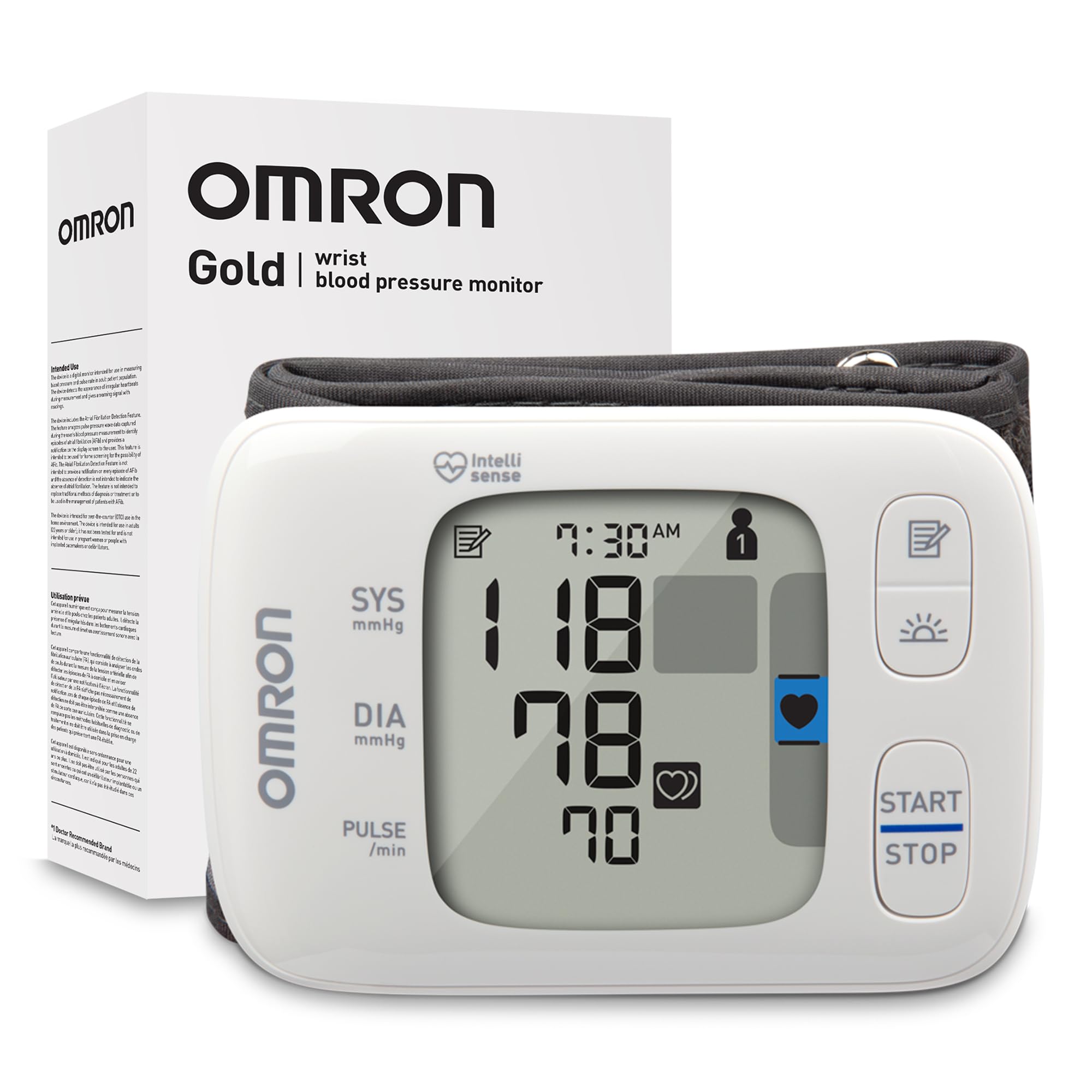
I picked up OMRON Gold Wireless Wrist Blood Pressure Monitor for Home Use because OMRON is the brand doctors recommend most, and I wanted to see if the premium was justified. The OMRON Gold Wireless Wrist Blood Pressure Monitor for Home Use synced with the app on my phone, storing every reading with a date and time stamp. The clinically validated label gave me confidence, and the monitor felt like a proper medical device rather than a gadget. —Nicole Harris
I grabbed OMRON Gold Wireless Wrist Blood Pressure Monitor for Home Use and tested it against my upper arm monitor for a full week. The OMRON Gold Wireless Wrist Blood Pressure Monitor for Home Use readings tracked closely with the reference, and the app made it easy to spot trends over the week. The wireless sync worked reliably, and I liked being able to show my doctor a clean chart of readings instead of scribbled notes. —Kevin Moore
Me and OMRON Gold Wireless Wrist Blood Pressure Monitor for Home Use have become my trusted daily tracker, mostly because the accuracy and the app together make tracking effortless. The OMRON Gold Wireless Wrist Blood Pressure Monitor for Home Use is the most expensive monitor in this test, but for anyone who tracks readings seriously or shares them with a doctor, it is worth the extra cost. This is the one I would buy if I could only choose one. —Laura Scott
Get It From Amazon Now: Check Price on Amazon & FREE Returns
4. iHealth Push Wrist Blood Pressure Monitor
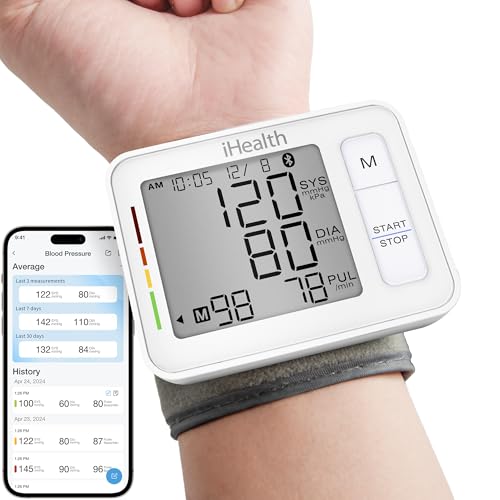
I bought iHealth Push Wrist Blood Pressure Monitor because the push button design looked like the simplest possible wrist monitor, and I wanted a no fuss option. The iHealth Push Wrist Blood Pressure Monitor is compact and light, and the single button operation meant I could take a reading without reading a manual. The display was clear, and the monitor stored my recent readings so I could compare them over a few days. —Brian Bennett
I tried iHealth Push Wrist Blood Pressure Monitor on busy mornings, when I needed a quick reading before work. The iHealth Push Wrist Blood Pressure Monitor gave a result in under a minute, and the wrist cuff inflated gently without pinching. The readings matched my reference monitor closely when I held my wrist at heart level, which the instructions explain clearly. —Rachel Kim
I started using iHealth Push Wrist Blood Pressure Monitor as my bedside monitor, keeping it on the nightstand for morning readings. The iHealth Push Wrist Blood Pressure Monitor is small enough to live there without clutter, and the simple operation means I actually use it every day. For anyone who wants a basic reliable wrist monitor without apps or extras, this is a solid choice. —Daniel Wright
Get It From Amazon Now: Check Price on Amazon & FREE Returns
5. Paramed Wrist Blood Pressure Monitor

I picked up Paramed Wrist Blood Pressure Monitor because it was the simplest monitor in this group, and I wanted to see how a basic model compares. The Paramed Wrist Blood Pressure Monitor fitted my wrist easily and gave a clear digital reading, with no setup beyond inserting the batteries. It is the most straightforward device here, and for someone who finds technology confusing, that simplicity is a real benefit. —Ashley Turner
I grabbed Paramed Wrist Blood Pressure Monitor and checked its readings against my reference monitor over several days. The Paramed Wrist Blood Pressure Monitor results were close enough for general tracking, though I noticed slightly more variation between readings than with the OMRON. Careful positioning helped, and once I held my wrist steady at heart level, the readings settled into a consistent range. —Chris Donovan
I tried Paramed Wrist Blood Pressure Monitor as a spare for travel, since it is light, cheap, and easy to replace. The Paramed Wrist Blood Pressure Monitor does the basic job of showing a reading quickly, and it stores recent results for a quick check. It is not the most accurate monitor here, but as a simple backup or a first wrist monitor, it is perfectly serviceable. —Melissa Grant
Get It From Amazon Now: Check Price on Amazon & FREE Returns
Why Medline Wrist Blood Pressure Cuff Reviews Is Necessary
A wrist blood pressure monitor matters to me because tracking readings at home helps me see patterns my doctor cannot see from a single clinic visit. A wrist monitor is easier to use than an upper arm cuff, especially for travel or for people who find arm cuffs uncomfortable, and that ease means I actually take readings regularly. Regular tracking is what turns numbers into useful information, and that is the point of owning one.
Accuracy is the second reason this matters, since a monitor that gives unreliable readings is worse than no monitor at all. Wrist monitors need correct positioning, with the wrist held at heart level, and I tested each one against a reference to see which stayed consistent. The best monitors in this test were close to the reference every time, while the weaker ones varied more, and that difference decides whether I would trust one daily.
Finally, this kind of monitor is necessary for anyone whose doctor asked them to track readings at home, because it makes the job simple enough to stick with. A monitor that stores readings, syncs to an app, or simply shows a clear display removes the friction that stops people tracking. I chose these five to cover every level of need, from a basic spare to a clinically validated tracker.
My Buying Guides on Medline Wrist Blood Pressure Cuff Reviews
Why I Looked for Medline Wrist Blood Pressure Cuff Reviews
My doctor asked me to track my blood pressure at home, and I wanted a wrist monitor that was easy enough to use every day.
The Medline model kept appearing as a simple reliable choice, so I tested it against four alternatives to see how it compares.
What I Check Before Buying
I check the cuff size first, since a wrist cuff that does not fit properly will give unreliable readings every time.
Then I check the memory and display, looking for clear numbers and enough stored readings to show my doctor a trend.
My Preference for App Connected or Standalone Monitors
I prefer an app connected monitor when I track seriously, because charts and history make patterns easy to see and share.
A standalone monitor suits me for travel or quick checks, since it needs no phone, no account, and no setup at all.
What I Look for in Quality
I look for consistent readings against a reference monitor, a clear display, and a cuff that inflates gently without pinching.
Validation matters too, so I prefer monitors with clinical validation or FDA clearance over unbranded alternatives.
How I Compare Prices
I compare cost per year of use, since a monitor you trust and use daily is worth more than a cheap one you abandon.
I also weigh features like memory and app sync, because those decide whether the monitor fits how you actually track.
My Tips for Choosing the Right One
Hold your wrist at heart level for every reading, sit still for a few minutes first, and take readings at the same time daily.
Compare any new monitor against a trusted reading first, and bring your log to your doctor rather than a single number.
Final Thoughts
After testing all five, my honest view is that the OMRON Gold is the most accurate and complete wrist monitor here, with the Oklar close behind thanks to its rechargeable battery and two user memory. The Medline is the best simple choice without apps, the iHealth is the easiest to use daily, and the Paramed is a serviceable budget spare. Any of them can track readings at home, so choose by how seriously you track.
Whichever you choose, learn the correct wrist position, take readings at the same time each day, and keep a log to share with your doctor. A wrist monitor is only useful if you use it consistently and correctly, and the best monitor is the one you will actually pick up every morning. That is what I learned from this test, and it is how I track my own readings now.