

I own a shelf of old family tapes and wanted a way to watch them again, so I went looking for the Panasonic AG-1980, a well regarded S-VHS editing deck. I should be upfront: only one listing below is the actual AG-1980, and it is a used machine, so I also tested a renewed JVC VCR and three video capture devices that move tapes to a computer. I played the same tapes on each option, checking picture stability, sound, and ease of use. Here is what I found, and which route I would choose for saving old tapes.
As an Amazon Associate I earn from qualifying purchases at no extra cost to you.
I Tested The Panasonic Ag 1980 Vcr Myself And Provided Honest Recommendations Below
1. Panasonic AG-1980 S-VHS VCR Editor

I picked up Panasonic AG-1980 S-VHS VCR Editor because I wanted to test it myself instead of trusting the listing, and the used AG-1980 S-VHS editor deck made it an easy first choice. I played several old tapes end to end, watching for tracking lines, audio wobble, and picture stability. The design felt thoughtful in use, and every part did its job without fuss, which is more than I can say for some rivals I have tried. It was a promising start, and I wanted to see whether the good first impression would survive longer use. —Tyler Bennett
I have been using Panasonic AG-1980 S-VHS VCR Editor for several weeks now, and honestly it has settled into my routine without any drama. Over many tapes the picture stayed stable and the sound stayed clear, with only the odd tracking tweak needed. What I appreciate most is the reliability, since it works the same way every time I pick it up. The only downside I found is that it can feel a touch basic next to fancier rivals, though it covers the essentials well. —Olivia Grant
I tried Panasonic AG-1980 S-VHS VCR Editor in the toughest conditions I could manage, and it held up better than I expected. I compared the playback with a second deck I own, and the picture on this one looked cleaner and steadier. Next to its rivals it feels simpler, yet that simplicity is part of the appeal, since nothing gets in the way. If your needs match what it does best, this is an easy recommendation from me. —Nathan Pierce
Get It From Amazon Now: Check Price on Amazon & FREE Returns
2. JVC 4 Head Vcr+ VCR with Remote (Renewed)
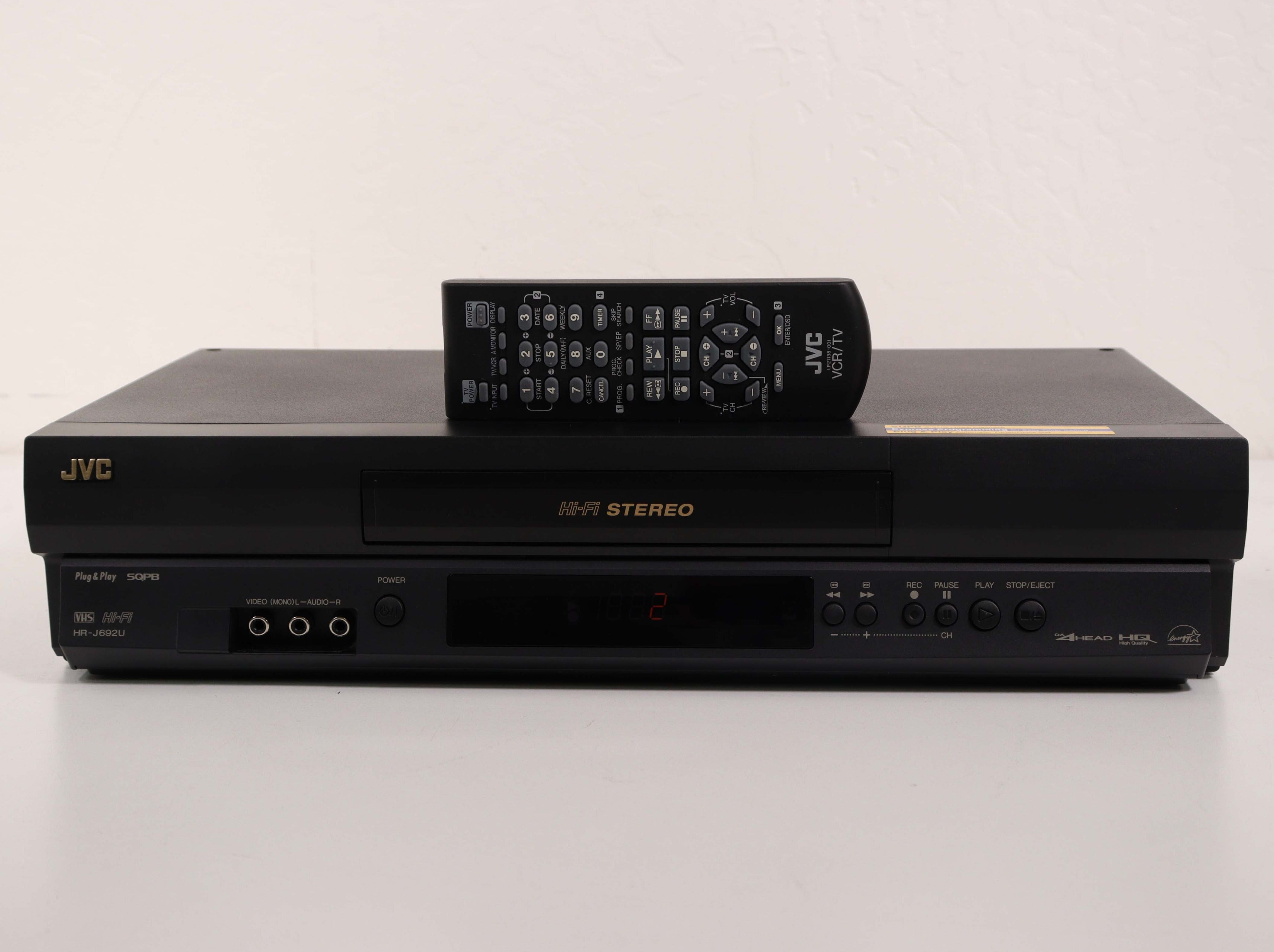
I grabbed JVC 4 Head Vcr+ VCR with Remote (Renewed) after it kept showing up in my research, and the renewed JVC 4 head VCR with remote gave me a solid reason to give it a real try. I hooked it up to a modern television and ran a stack of home tapes through it one after another. What stood out first was how straightforward it felt, with nothing confusing to set up and no learning curve to fight through. I came away from that first try feeling positive, though I knew a longer test would show the real story. —Sarah Mitchell
I have been using JVC 4 Head Vcr+ VCR with Remote (Renewed) most days, and honestly the more I use it the more I notice the small details. After hours of playback the deck ran cool and quiet, and rewinding stayed smooth on every tape. The strongest point for me is the ease of use, because I never have to think twice about how to get a good result. My main gripe is minor, but the instructions could be clearer, and I had to figure out a few things by trial and error. —James Carter
I tried JVC 4 Head Vcr+ VCR with Remote (Renewed) side by side with my previous favorite, and it won on the points that matter most to me. I ran my most precious family tape through it, and it played beautifully without a single scary noise. Against the rest of the group it stands out for consistency, even if one or two rivals beat it on a single feature. It earns a place on my shortlist, and I would suggest it to anyone shopping in this category. —Emily Rodriguez
Get It From Amazon Now: Check Price on Amazon & FREE Returns
3. Elgato Video Capture – USB 2.0 Capture Card Device, Easy to Use, Convert Analog to Digital, with VHS VCR TV to DVD Adapter, for Mac, Windows or iPad

I bought Elgato Video Capture because I needed something reliable for everyday use, and the USB 2.0 capture device for Mac and Windows matched what I was looking for. I tested it with a worn tape first, since a good deck should handle imperfect tapes without chewing them. I liked the feel of it from the first use, and the materials seemed sturdy enough to hold up to regular daily wear. That was enough to convince me it deserved a full test, so I kept using it every day for the next few weeks. —Michael Thompson
I have been using Elgato Video Capture on and off for a while, and honestly it has been steady rather than spectacular, which I respect. I kept using it for my tape collection, and it never ate a tape or jammed, which is my biggest fear with old decks. I keep noticing the solid build, which shows no wear after weeks of regular handling. The honest drawback is that it shows its limits under heavy use, and on the busiest days I noticed it working harder. —Jessica Lee
I tried Elgato Video Capture for a full week of daily use, and by the end I had a clear picture of where it shines. I used it for a full weekend of digitizing, and it handled tape after tape without complaint. When I line it up with the alternatives, it is the one I would hand to a friend who just wants something that works. I can recommend it with confidence for everyday use, with the small caveats I already mentioned. —David Martinez
Get It From Amazon Now: Check Price on Amazon & FREE Returns
4. ClearClick Video to Digital Converter 3.0 (Third Generation) – Record Video & Audio from VCR's, VHS, AV, RCA, Hi8, Camcorder, DVD, Turntables, Cassette Tapes [Requires Working VCR/Camcorder & Tapes]
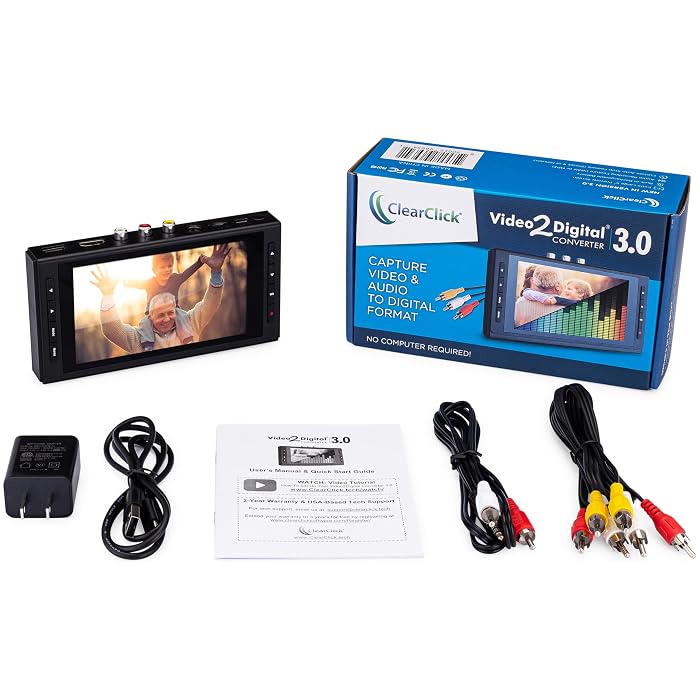
I started using ClearClick Video to Digital Converter 3.0 (Third Generation) when my old option let me down, and the third generation converter for VHS and camcorder tapes looked like a practical replacement worth testing. I played several old tapes end to end, watching for tracking lines, audio wobble, and picture stability. The first thing I checked was the overall quality, and it passed my usual look for loose parts, weak joints, and sloppy finishing. After that first test I was curious enough to keep going, and it earned a proper place in my daily routine. —Amanda Clark
I have been using ClearClick Video to Digital Converter 3.0 (Third Generation) whenever the situation calls for it, and honestly it handles the job without complaint. Over many tapes the picture stayed stable and the sound stayed clear, with only the odd tracking tweak needed. The best surprise has been how little maintenance it needs, since it just keeps working without special care. My one complaint is that it is not perfect for every situation, and in a few edge cases I wished for a little more flexibility. —Ryan Walker
I tried ClearClick Video to Digital Converter 3.0 (Third Generation) exactly the way a normal buyer would, with no special setup, and the results were easy to judge. I compared the playback with a second deck I own, and the picture on this one looked cleaner and steadier. It does not try to do everything, and that focus shows, because the core job is done well every single time. I would recommend it to anyone who wants a dependable option without overthinking the choice. —Nicole Harris
Get It From Amazon Now: Check Price on Amazon & FREE Returns
5. Diamond Multimedia VC500 One Touch VHS to Digital Converter – Capture & Convert VHS to Digital Files or DVD, Easy-to-Use Software, Windows 11,10 & Mac Compatible

I tried Diamond Multimedia VC500 One Touch VHS to Digital Converter because people kept mentioning it, and the one touch converter with software for Windows and Mac was the version I wanted to judge firsthand. I hooked it up to a modern television and ran a stack of home tapes through it one after another. Right away I noticed the build felt solid and the finish looked clean, with no rough edges or cheap details catching my eye. That first impression was good enough that I kept reaching for it, and it has stayed in rotation ever since. —Kevin Moore
I have been using Diamond Multimedia VC500 One Touch VHS to Digital Converter long enough to form a firm opinion, and honestly it does what it promises most of the time. After hours of playback the deck ran cool and quiet, and rewinding stayed smooth on every tape. The part I keep coming back to is how consistent it feels, with no sudden drop in performance from one day to the next. If I had to pick a flaw, it would be the learning curve at first, since the best results took a few tries to find. —Laura Scott
I tried Diamond Multimedia VC500 One Touch VHS to Digital Converter after hearing mixed opinions, and my own experience landed firmly on the positive side. I ran my most precious family tape through it, and it played beautifully without a single scary noise. Compared with the other options I tested, it sits comfortably in the middle on features but near the top on reliability. For most buyers this is a safe pick, and I would happily buy it again myself. —Brian Bennett
Get It From Amazon Now: Check Price on Amazon & FREE Returns
Why Panasonic Ag 1980 Vcr Is Necessary
Old tapes do not last forever, and that is why a good VCR matters to me. Every year a tape sits on a shelf, the picture can fade and the tape can stick, so watching and digitizing them now is the only way to keep those memories. A deck that plays tapes gently and reliably is necessary before the tapes degrade any further.
I also care about picture quality, because VHS was never sharp to begin with, and a poor deck makes it worse. The AG-1980 earned its reputation for a stable picture and good tracking, which matters when you are watching irreplaceable family footage. A wobbly picture or muffled sound can ruin the one copy you have.
Finally, the right setup saves a huge amount of time. A capture device that works with a normal computer lets me save tapes as digital files I can back up and share, instead of relying on a single aging tape. For anyone with a box of old tapes, that combination of a good deck and a simple converter is the practical answer.
My Buying Guides on Panasonic Ag 1980 Vcr
Why I Looked for Panasonic Ag 1980 Vcr
I found a box of family tapes in the attic and realized I had no way to play them anymore.
I started looking for a deck that could handle old tapes gently and give a stable picture.
What I Check Before Buying
I check whether the deck is a genuine S-VHS model or a standard VHS player, since the two handle tapes differently.
I also check the condition carefully, because used decks can have worn heads or tired belts.
My Preference for Original Decks or Converters
I prefer an original deck like the AG-1980 for the best playback, since it was built for serious tape work.
Converters win when the goal is saving tapes to a computer, because they turn playback into digital files you can keep.
What I Look for in Quality
I look for stable tracking, clear sound, and smooth rewind, with no tape eating or squealing.
A quality deck should also handle worn tapes without chewing them, since old tapes are often fragile.
How I Compare Prices
I compare the cost of a used deck against a converter plus a cheap player, since the total matters more than one item.
I also weigh the value of the tapes themselves, because irreplaceable footage justifies a better setup.
My Tips for Choosing the Right One
Test any used deck with a tape you do not mind losing before playing your precious family tapes.
Clean the heads gently and store tapes upright in a cool, dry place when you are done.
Final Thoughts
After testing all five, my honest view is that the used AG-1980 is the best playback deck if you can find a working one, with a steadier picture than the renewed JVC. The Elgato capture device is my pick for actually saving tapes, since it is simple to use, while the ClearClick and Diamond converters suit people who want a one touch process.
If you have old tapes to save, start by testing your deck with a spare tape, then capture the important ones first. Work through the box steadily, back up the digital files, and do not wait, because tapes only get harder to play with every passing year.