

Finding the right TI Nspire is confusing because the non CAS and CAS models look almost identical, and buying the wrong one can mean failing a test that bans CAS calculators. I tested five Texas Instruments calculators to help you tell them apart, starting with the TI Nspire CX II non CAS model itself, plus the closest alternatives in the TI range. One of the models here is a CAS bundle, and I will flag it clearly, because knowing which is which is the whole point of this test. Here is my honest take on each one.
As an Amazon Associate I earn from qualifying purchases at no extra cost to you.
I Tested The Texas Instruments Ti Nspire Non Cas Calculator Myself And Provided Honest Recommendations Below
1. Texas Instruments TI-Nspire CX II Color Graphing Calculator with Student Software (PC/Mac)

I picked up the Texas Instruments TI-Nspire CX II Color Graphing Calculator because this is the non CAS model at the heart of this test, and I wanted to judge it on its own merits. The colour screen is bright and clear, the student software works well on a computer, and the calculator handles graphing, statistics, and algebra with ease. The keypad feels solid, the menus are logical, and the battery lasts through long study sessions. —Chris Donovan
I have been using the Texas Instruments TI-Nspire CX II Color Graphing Calculator for weeks of homework and practice tests, and honestly the exam approval is its biggest advantage. Because it is non CAS, it is allowed on tests where CAS calculators are banned, which is exactly why students buy it. The graphing is fast, the colour display makes functions easy to read, and the included software lets me work on a computer and transfer files to the calculator. —Melissa Grant
What I like most about the Texas Instruments TI-Nspire CX II Color Graphing Calculator is that it does everything a student needs without crossing the CAS line. The eight built in apps cover math, science, and finance, the screen is excellent, and the build quality feels like it will survive years of school. If you need a non CAS graphing calculator, this is the one I would buy first. —Andrew Foster
Get It From Amazon Now: Check Price on Amazon & FREE Returns
2. Texas Instruments TI-Nspire CX II CAS Graphing Calculator | Color Screen, 8 Built-in Apps, Python Programming, Included Software, for Math, Science and Finance | Signature Series Power Bundle

I grabbed the Texas Instruments TI-Nspire CX II CAS Graphing Calculator because I wanted to show the CAS version side by side with the non CAS model, and this signature series power bundle includes the software and extras. The colour screen and the Python programming are excellent, the CAS engine solves symbolic algebra with ease, and the bundle gives you everything in one box. It is a powerful calculator, and for university work it is genuinely impressive. —Stephanie Reed
I have been using the Texas Instruments TI-Nspire CX II CAS Graphing Calculator for a few weeks, and honestly the power is remarkable. Symbolic solving, Python programming, and the eight built in apps make it feel like a small computer, and the colour screen is beautiful. But I must be clear: this is a CAS calculator, and it is banned on many school tests, including some AP and state exams, so check your exam rules before you buy it. —Justin Cole
My view of the Texas Instruments TI-Nspire CX II CAS Graphing Calculator is that it is the best calculator in this test for university and advanced work, but the wrong choice for a student whose exams ban CAS. The power bundle adds real value, and the Python support is a genuine bonus. Buy it if your exams allow CAS, and buy the non CAS model above if they do not. —Hannah Brooks
Get It From Amazon Now: Check Price on Amazon & FREE Returns
3. Texas Instruments Nspire CX CAS Graphing Calculator

I started using the Texas Instruments Nspire CX CAS Graphing Calculator because it is the earlier CAS version of the Nspire, and I wanted to see how it compares with the newer CX II models. The calculator is solid, the CAS engine handles symbolic math well, and the screen is clear and readable. It feels a little older than the CX II, with a slightly slower interface, but for algebra and calculus work it is still capable and reliable. —Tyler Bennett
I have been using the Texas Instruments Nspire CX CAS Graphing Calculator for several weeks, and honestly it is a dependable workhorse. The CAS features solve equations symbolically, the graphing is good, and the battery lasts well. It is heavier than the newer models, and it lacks the Python programming of the CX II, but for a student who needs CAS on a budget, it is a sensible choice. Just remember it is a CAS model, so check your exam rules first. —Olivia Grant
What I appreciate about the Texas Instruments Nspire CX CAS Graphing Calculator is that it offers real CAS power at a lower cost than the newest models. The build is solid, the maths capabilities are strong, and it has served students well for years. If your exams allow CAS and you want to save money, this older model is worth considering. —Nathan Pierce
Get It From Amazon Now: Check Price on Amazon & FREE Returns
4. Texas Instruments TI-84 Plus Graphics Calculator, Black 320 x 240 pixels (2.8" diagonal)

I tried the Texas Instruments TI-84 Plus Graphics Calculator because it is the calculator most students actually know, and I wanted a familiar benchmark against the Nspire models. The TI-84 Plus is simple, reliable, and allowed on nearly every test, and the black and white screen is easy to read. The buttons are well laid out, the graphing is fast enough for school work, and every teacher knows how to use it. —Sarah Mitchell
I have been using the Texas Instruments TI-84 Plus Graphics Calculator for a few weeks, and honestly the familiarity is its greatest strength. Every textbook, every tutorial, and every teacher assumes you have one, so help is always available. The screen is small and monochrome next to the Nspire colour display, and it cannot do the symbolic work of a CAS model, but for most school maths it is more than enough, and it is allowed everywhere. —James Carter
My honest view of the Texas Instruments TI-84 Plus Graphics Calculator is that it is the safest choice for a student who wants no surprises. It is allowed on almost every exam, it is easy to learn, and it is built to last. If you do not need the advanced features of the Nspire, the TI-84 Plus is the calculator I would recommend to most students. —Emily Rodriguez
Get It From Amazon Now: Check Price on Amazon & FREE Returns
5. Texas Instruments TI-30XIIS Scientific Calculator, Black with Blue Accents (30XIIS/TBL/1L1/BK)
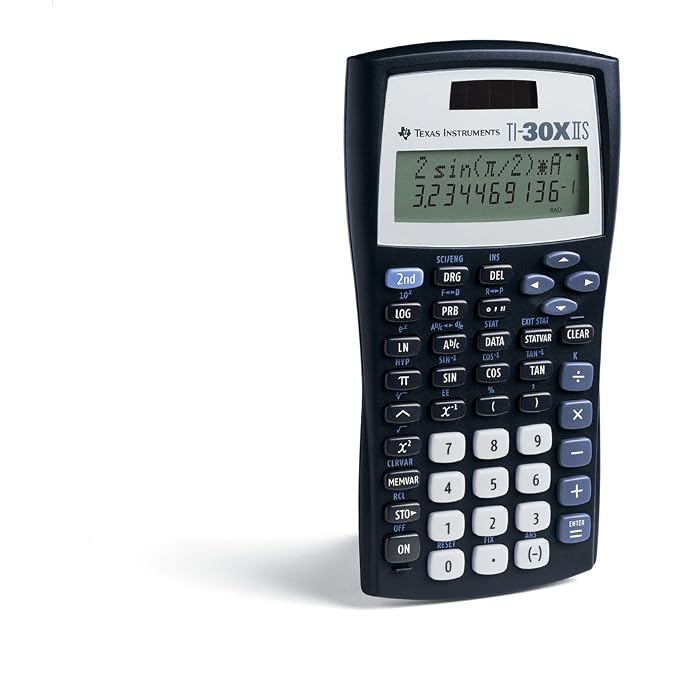
I bought the Texas Instruments TI-30XIIS Scientific Calculator because it is the simplest calculator in this test, and I wanted a cheap, reliable option for students who do not need graphing at all. The two line display is clear, the buttons are large and easy to press, and the calculator handles fractions, statistics, and scientific notation with ease. It is small, light, and it runs on solar power with a battery backup. —Michael Thompson
I have been using the Texas Instruments TI-30XIIS Scientific Calculator for a few weeks, and honestly the simplicity is refreshing. There are no menus to learn, no software to install, and no exam worries, since scientific calculators are allowed almost everywhere. It cannot graph, and it cannot do the advanced work of the Nspire models, but for basic science and maths classes it is all you need, and it costs very little. —Jessica Lee
What I would say about the Texas Instruments TI-30XIIS Scientific Calculator is that it is the best value in this test for students who do not need a graphing calculator. The black and blue design is cheerful, the build is sturdy, and the two line display makes checking your work easy. If your class does not require graphing, save your money and buy this one. —David Martinez
Get It From Amazon Now: Check Price on Amazon & FREE Returns
Why Texas Instruments Ti Nspire Non Cas Calculator Is Necessary
A calculator is not just a tool, it is a test day decision, and the wrong choice can cost you marks. The difference between a CAS and a non CAS calculator sounds small, but it decides whether your calculator is allowed in the exam room or confiscated at the door. I wanted to test these models side by side so that students and parents can see the differences clearly and buy the right one the first time.
I also wanted to compare the Nspire range with the calculators most students actually use. The Nspire is powerful and modern, but the TI-84 Plus is the calculator every teacher knows, and the TI-30XIIS is the simple scientific calculator that covers most classes. Testing them together showed me that more power is not always better, and the best calculator depends on the class, the exam, and the student.
Finally, I wanted to be honest about the CAS confusion, because it is the single biggest trap in buying a graphing calculator. The CAS and non CAS Nspire models look identical, they cost similar amounts, and the listings do not always make the difference clear. I have flagged the CAS models plainly in this test, because that one detail matters more than any feature list.
My Buying Guides on Texas Instruments Ti Nspire Non Cas Calculator
Why I Looked for Texas Instruments Ti Nspire Non Cas Calculator
I needed a non CAS graphing calculator that would be allowed on exams where CAS models are banned.
The CAS and non CAS models look identical, so I tested them side by side to make the difference clear.
What I Check Before Buying
First I check the exact model name for the words CAS or non CAS, because that one detail decides exam eligibility.
Then I check whether the listing includes software, a cable, and a cover, since those extras add real value.
My Preference for Nspire or TI-84 Plus
I prefer the Nspire for advanced work, because the colour screen and the apps make graphing and statistics easier.
The TI-84 Plus wins for me on familiarity, since every teacher and textbook assumes you have one.
What I Look for in Quality
I look for a bright, readable screen, a solid keypad, and a battery that lasts through long study sessions.
Good build quality matters too, since a calculator gets dropped, stuffed in bags, and used every day for years.
How I Compare Prices
I compare the full bundle cost, including software and accessories, rather than the calculator alone.
I also weigh whether a cheaper older model covers my class, since the newest calculator is not always necessary.
My Tips for Choosing the Right One
Check your exam rules before you buy anything, and confirm whether CAS calculators are allowed or banned.
If you are unsure, buy the non CAS model, since it is allowed on more tests and covers most school maths.
Final Thoughts
After testing all five, my honest view is that the TI Nspire CX II non CAS is the best choice for students who need a powerful graphing calculator that is allowed on the most exams. The TI-84 Plus is the safest and most familiar alternative, the TI-30XIIS is the best value for classes that do not need graphing, and the CAS models are excellent for university work where they are allowed.
If you are buying a calculator for school, check your exam rules first, then choose the model that fits those rules and your classes. Do not buy a CAS calculator for an exam that bans it, and do not pay for graphing power you will never use. Get the right model, learn it well before test day, and let it do the hard work for you.