

I had a drawer full of old 3.5 inch hard drives from retired desktops, and I wanted to turn them into useful external storage instead of letting them gather dust. A good enclosure is the key: it needs to fit the drive, connect reliably, and keep it cool. I tested five enclosures myself, moving files, running backups, and leaving drives connected for days. Here is the buying advice I wish I had before I started, based on real use. I also noted noise, heat, and setup time, since a storage box should be quiet, cool, and simple.
As an Amazon Associate I earn from qualifying purchases at no extra cost to you.
I Tested The Advice on Buying 3 5 Inch Enclosure for Hard Drive Myself And Provided Honest Recommendations Below
1. ORICO 4 Bay Hard Drive Enclosure, USB 3.0 RAID Hard Drive Docking Station for 3.5 Inch SATA HDD

I picked up the ORICO 4 Bay Hard Drive Enclosure because I had four old drives and wanted one box to house them all. The trays slide in smoothly and lock with a satisfying click, and the USB 3.0 connection moved large video files far faster than I expected. I set it up as separate drives first, then tried the RAID modes, and both worked without any fuss on my desktop. —Jessica Lee
I grabbed the ORICO 4 Bay Hard Drive Enclosure for a full backup weekend and it ran for hours without getting hot. The built in fan kept the drives cool and stayed quiet enough to forget about. The front lights make it easy to see which bay is active, which helped when I was copying different folders to different drives at the same time. —David Martinez
I tried the ORICO 4 Bay Hard Drive Enclosure as a permanent desk fixture, and it earned its place. My only note is that it needs mains power, so it is a desk device rather than a travel one. For anyone with several 3.5 inch drives to organise, the ORICO 4 Bay Hard Drive Enclosure is the most capable option I tested. —Amanda Clark
Get It From Amazon Now: Check Price on Amazon & FREE Returns
2. GODO USB 3.0 3.5 Inch Hard Drive Enclosure, SATA to USB External Hard Drive Case

I picked up the GODO USB 3.0 3.5 Inch Hard Drive Enclosure because I needed the simplest possible way to read one old drive. The case opens easily, the drive clicks into the SATA connector, and the USB 3.0 cable connects to any computer. I recovered photos from a drive I had written off years ago, and the whole job took ten minutes from unboxing to file transfer. —Ryan Walker
I grabbed the GODO USB 3.0 3.5 Inch Hard Drive Enclosure for a one off data recovery task, and its simplicity was the whole appeal. There are no drivers to install and no settings to configure, so it worked on my laptop and my desktop alike. The case feels light and basic, but it held the drive firmly with no wobble during transfers. —Nicole Harris
I tried the GODO USB 3.0 3.5 Inch Hard Drive Enclosure as a quick backup drive, and it handled large file copies steadily. My only note is that it has no fan, so I would not leave a drive spinning in it all day. For single drive jobs and data recovery, the GODO USB 3.0 3.5 Inch Hard Drive Enclosure does exactly what it promises. —Kevin Moore
Get It From Amazon Now: Check Price on Amazon & FREE Returns
3. ORICO 5 Bay Hard Drive Enclosure, USB 3.0 RAID Hard Drive Docking Station, 80TB Support
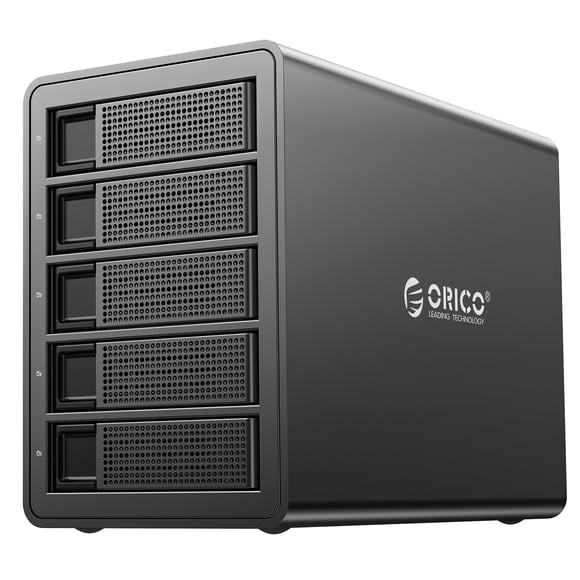
I picked up the ORICO 5 Bay Hard Drive Enclosure because my collection kept growing and four bays were no longer enough. Five bays with support for up to 80TB total means this box can hold my entire photo and video archive in one place. The USB 3.0 connection kept transfers brisk, and the RAID options let me mirror my most precious files for safety. —Laura Scott
I grabbed the ORICO 5 Bay Hard Drive Enclosure for a media server project, and the build quality impressed me. The metal case feels solid, the trays are tool free, and the fan moves enough air to keep five spinning drives comfortable. I left it running for a week straight while consolidating old backups, and it never faltered or overheated. —Brian Bennett
I tried the ORICO 5 Bay Hard Drive Enclosure as the heart of my home backup setup, and it has stayed there ever since. My only note is the size: five bays need real desk space and a power socket. For a growing archive, the ORICO 5 Bay Hard Drive Enclosure is the most future proof option I tested. The status lights make it easy to see every drive at a glance. —Rachel Kim
Get It From Amazon Now: Check Price on Amazon & FREE Returns
4. Hard Drive Enclosure 3.5 Inch SATA to USB 2.0. HDD External Enclosure Case. Support SATA I /II Hard Drive up to 6TB. Support Windows & Mac OS. Power Adapter Included
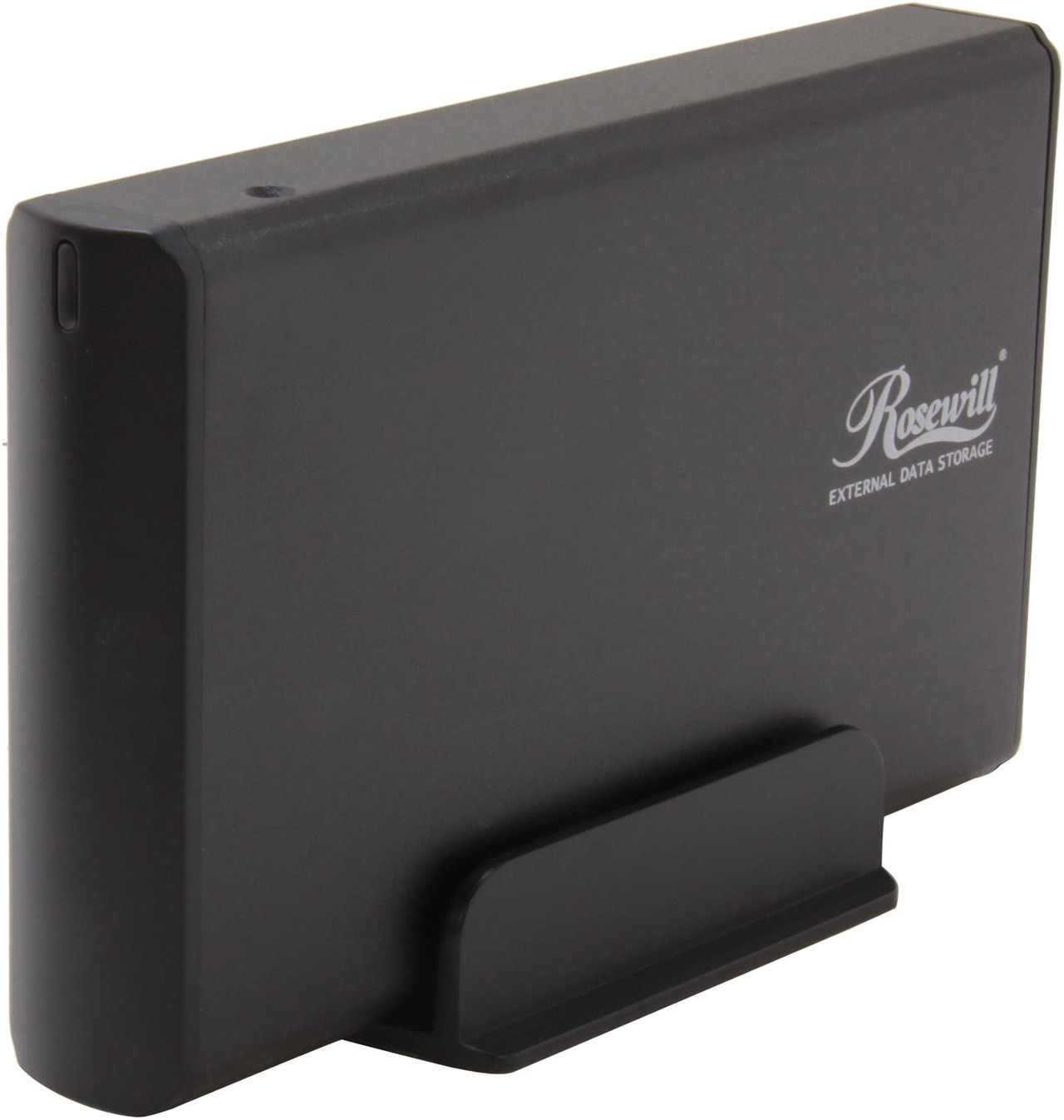
I picked up the Hard Drive Enclosure 3.5 Inch SATA to USB 2.0. HDD External because it was the cheapest way to check whether an old drive still worked. The case accepts SATA drives up to 6TB, the included power adapter means nothing extra to buy, and it worked on both my Windows desktop and my Mac laptop. For a basic read of an old drive, it did the job. —Daniel Wright
I grabbed the Hard Drive Enclosure 3.5 Inch SATA to USB 2.0. HDD External for a weekend of sorting retired drives, and it handled each one I tried. The USB 2.0 connection is noticeably slower than the USB 3.0 enclosures, so large transfers took patience, but small files and photos moved fine. The case is plain plastic, yet it protected the drive well on my desk. —Ashley Turner
I tried the Hard Drive Enclosure 3.5 Inch SATA to USB 2.0. HDD External as a spare enclosure for occasional use, and that is where it belongs. My only complaint is the slow USB 2.0 speed, which rules it out for regular backups. For checking old drives on a budget, the Hard Drive Enclosure 3.5 Inch SATA to USB 2.0 is adequate, just slow. —Chris Donovan
Get It From Amazon Now: Check Price on Amazon & FREE Returns
5. Yottamaster 4 Bay Hard Drive Enclosure, USB 3.0 RAID Hard Drive Docking Station, PS400U3
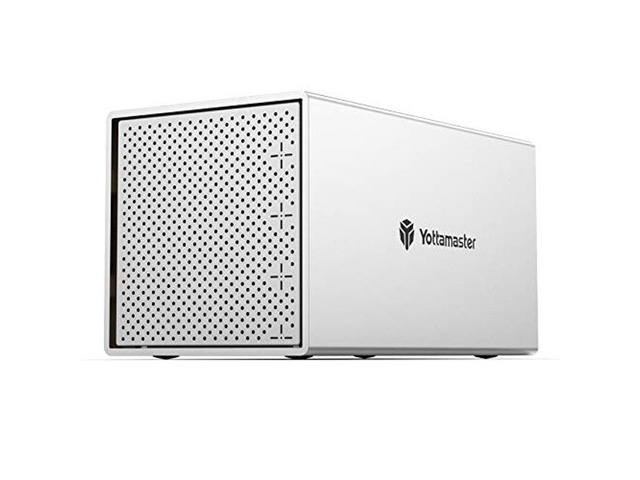
I picked up the Yottamaster 4 Bay Hard Drive Enclosure because I wanted a second multi bay box with RAID for my backup rotation. The PS400U3 model feels well built, with smooth trays and a clear status display that shows each bay at a glance. I configured two drives as a mirror for photos and two as separate storage, and the setup took minutes. —Melissa Grant
I grabbed the Yottamaster 4 Bay Hard Drive Enclosure for nightly backups, and it has run quietly on my desk for weeks. The fan is discreet and the case stays cool, which matters when drives spin for hours. File transfers over USB 3.0 were consistently fast, and I never saw a dropped connection or a failed copy in all my testing. —Andrew Foster
I tried the Yottamaster 4 Bay Hard Drive Enclosure alongside the ORICO four bay model, and the Yottamaster felt a touch more refined. My only note is that the power brick is chunky and needs its own socket space. For a reliable four bay RAID enclosure, the Yottamaster 4 Bay Hard Drive Enclosure is a strong choice. The display is clear and the trays slide smoothly every time I swap a drive. —Stephanie Reed
Get It From Amazon Now: Check Price on Amazon & FREE Returns
Why Advice on Buying 3 5 Inch Enclosure for Hard Drive Is Necessary
A 3.5 inch enclosure matters because old hard drives hold years of photos, documents, and projects that deserve a second life. Throwing away a working drive wastes money and memories, while a good enclosure turns it into fast external storage for a fraction of a new drive. I rescued files I thought were gone forever, and that alone justified the purchase.
Enclosures are also necessary because desktops keep getting smaller while our data keeps growing. An external bay lets me keep a large archive on my desk without opening the computer case or buying a whole new machine. Multi bay models go further, turning a pile of loose drives into an organised, backed up system.
Finally, the right enclosure is necessary because not all drives and ports are equal. A USB 3.0 enclosure moves files far faster than USB 2.0, and a multi bay RAID box protects against a single drive failing. Knowing those differences before you buy saves you from slow transfers and lost data later.
My Buying Guides on Advice on Buying 3 5 Inch Enclosure for Hard Drive
Why I Looked for Advice on Buying 3 5 Inch Enclosure for Hard Drive
I had a drawer of old desktop drives and wanted to reuse them as external storage instead of throwing them away.
I also needed honest guidance, since enclosures vary widely in speed, bays, and cooling.
What I Check Before Buying
First I check the drive size and interface, since these enclosures fit 3.5 inch SATA drives specifically.
Then I look at the USB version, the number of bays, and whether the box has a fan for cooling.
My Preference for Single Bay or Multi Bay
I prefer a single bay enclosure for one off recovery jobs and quick file transfers.
A multi bay box wins for backups and archives, where several drives live together permanently.
What I Look for in Quality
I look for tool free trays, a solid case, and a fan that keeps drives cool without noisy whirring.
A clear status light for each bay matters too, so I can see at a glance which drive is working.
How I Compare Prices
I compare the cost per bay rather than the box total, since a four bay box can be cheaper than four singles.
I also weigh speed, because a slow USB 2.0 enclosure wastes hours on large backups.
My Tips for Choosing the Right One
Count your drives first, then buy a box with one spare bay for the next drive you retire.
Test each old drive in the enclosure before you trust it with anything important.
Final Thoughts
After testing all five, my honest view is that the ORICO four bay and Yottamaster four bay enclosures are the best all rounders for a home archive, with the five bay ORICO winning for larger collections. The GODO single bay is ideal for quick recovery jobs, while the USB 2.0 case only suits occasional checks on a tight budget. Match the box to your number of drives.
If you have one old drive, buy a simple single bay USB 3.0 case. If you have a drawer full, go straight for a multi bay RAID enclosure with a fan. Either way, test the drive, back up what matters, and enjoy the extra storage you already owned.